HiNotes Logo
HiNotes Smart Family Notes & Tasks
← Back to Home

Productivity & Engineering Guides

Practical articles on shared family checklists, offline-first notes, privacy, and Markdown formatting.


FAMILY PRODUCTIVITY

1. The Zero-Duplicate Grocery System: Real-Time Subtask Delegation for Families

Every busy household experiences the classic grocery communication breakdown: Person A heads to the store and buys milk and eggs. Meanwhile, Person B stops by a convenience store on their commute home and buys the exact same items. At the same time, the one item everyone urgently needed—olive oil—is completely forgotten.

The 3-Rule HiNotes Grocery System

In testing across multiple Android devices and web browsers, we established a three-rule system designed to eliminate duplicate household purchases and overlooked essentials:

  1. The Single Source of Truth Rule: All shopping items must live on one pinned task card named "Weekly Groceries" in the Family Workspace.
  2. Subtask Atomic Checkboxes: Each grocery item is added as a subtask. When a family member puts an item in the cart, they tap the checkbox immediately. The progress counter updates dynamically (e.g. "3 of 5 completed") and syncs to other devices in real time.
  3. Instant Code Onboarding: Family members join via a simple 6-digit code without needing complex calendar invites or separate email accounts.
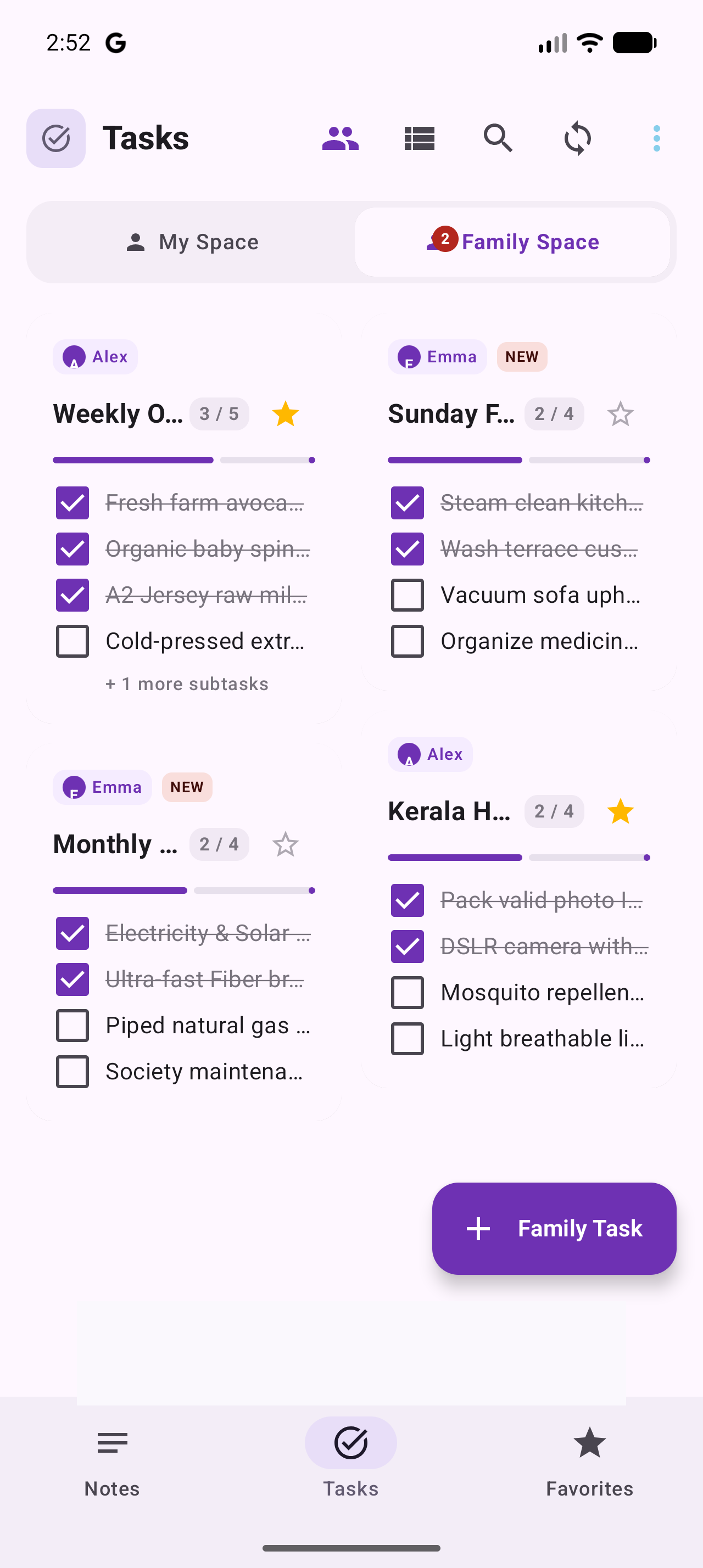
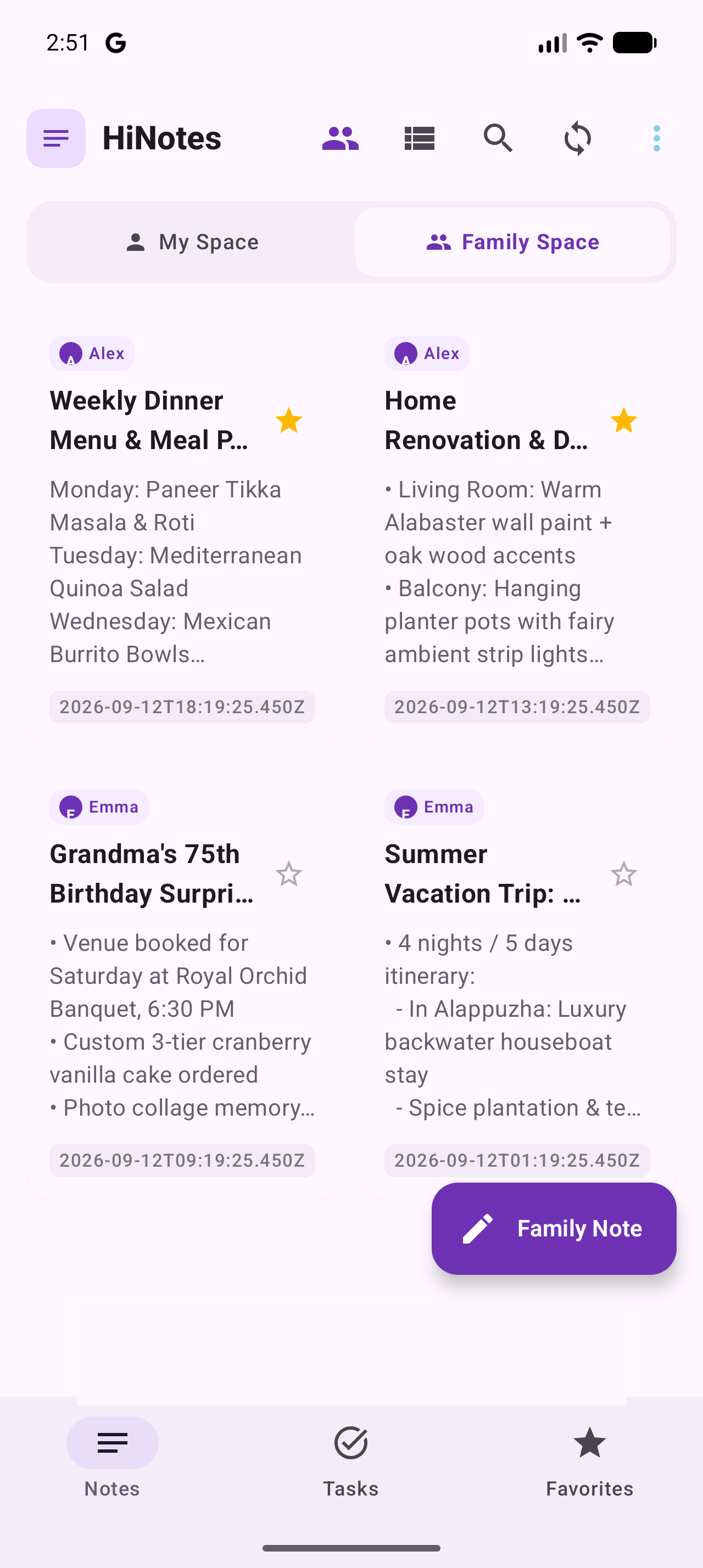
Family Grocery Checklist Screenshot Live Family Space showing shared grocery task with subtasks and attribution avatars.
ENGINEERING ARCHITECTURE

2. Under the Hood: How Android Room SQLite Architecture Enables 100% Offline Notes

Many popular note applications are built as thin hybrid wrappers around remote REST APIs. If you enter an elevator, subway tunnel, or rural area without cellular reception, the app either freezes, displays a spinner, or loses your newly typed thoughts. HiNotes was architected from day one as a Local-First system.

1. Why Local-First Room Storage Eliminates Input Latency

In traditional cloud-first note applications, creating or modifying a note triggers a remote HTTP REST roundtrip. On mobile networks, this introduces variable latencies (often 250ms to 800ms) and can cause lost input in poor connectivity zones.

HiNotes reverses this paradigm. Every note, checklist update, and color tag is committed directly to on-device SQLite storage via Android's Room persistence library. Because UI state observes reactive data streams (Flow) from the local database, interactions complete with zero perceptible delay regardless of network connectivity.

2. Room Entity Architecture (Kotlin Code Snippet)

@Entity(tableName = "notes")
data class NoteEntity(
    @PrimaryKey val _id: String,
    var title: String = "",
    var description: String = "",
    val date: String? = "",
    var visibility: String = "FAMILY",
    val synced: Boolean = false
)

3. Seamless Cloud Synchronization

When your device is connected to the internet, changes synchronize automatically with cloud storage via background REST APIs. Locally created or updated items marked as pending sync are uploaded securely, ensuring your family workspace stays aligned across all Android and Web sessions without blocking user interactions.

FAMILY PRODUCTIVITY

3. Setting Up Your Family Workspace: Permission Scopes & 6-Digit Onboarding

Sharing notes shouldn't require creating corporate organizations or managing complex access control lists. HiNotes was designed to make family workspace setup intuitive for people of all technical backgrounds.

The 6-Digit Code Advantage

Most collaborative platforms force you to type in an email address, send an invitation email, have the family member check their spam folder, and click a verification link. In HiNotes:

  1. The Workspace Admin opens the Family Hub and taps Generate Code.
  2. A memorable 6-digit code (e.g. 154992) is generated with one-tap clipboard copying.
  3. Family members open HiNotes, tap Join Workspace, enter the 6 digits, and are immediately connected.

Three-Tier Privacy Scopes Explained

  • Private (My Space): Absolutely isolated to your account. Ideal for personal journals, financial reminders, or surprise birthday gift ideas. Invisible to all family members.
  • Family (Shared Space): Broadcast to all accepted workspace members. Perfect for grocery lists, home repair tasks, and vacation itineraries.
  • Specific Members: Shared exclusively with designated members (e.g. parents only, excluding kids).
Family Workspace UI Family Workspace settings showing 6-digit code and member role permissions.
ENGINEERING ARCHITECTURE

4. Zero-Tracking Data Sovereignty: Why HiNotes Never Monetizes Personal Content

In modern consumer software, "free" often means your personal thoughts, notes, and habits are scanned to build behavioral advertising profiles. At HiNotes, we reject this business model completely.

Our Business Model: Clean Ads & Lifetime VIP Licenses

HiNotes sustains operational costs through two transparent mechanisms:

  • Standard Google AdSense: Clean, non-intrusive display banners on select web pages adhering to Google Play and AdSense Better Ads standards.
  • VIP Lifetime Ad-Free License: A one-time in-app purchase on Android via Google Play Billing that permanently removes all ads forever. No recurring monthly subscriptions.

Zero Content Scanning

Your note descriptions, checklist titles, and audio recordings are never processed by natural language models for advertising purposes. When you write a note in HiNotes, it is encrypted in transit and protected by multi-tenant database isolation.

FORMATTING & TUTORIALS

5. Markdown for Busy People: Formatting Notes, Checklists & Code Blocks

Markdown allows you to add structure, headings, bold emphasis, and checklists to your notes without lifting your hands from the keyboard. HiNotes provides live Markdown rendering on the Web, paired with a dedicated formatting toolbar on Android.

# Heading 1 (Document Title)
## Heading 2 (Key Milestones)
**Bold Text** for urgent reminders
- [ ] Unfinished task checkbox
- [x] Completed task checkbox

The One-Tap Mobile Formatting Bar

In the HiNotes Android app, we built a dedicated horizontal formatting pill bar above the software keyboard: tap ✓ Task, • Bullet, 1. List, or B Bold to insert symbols instantly with a single touch.

AUDIO PRODUCTIVITY

6. Voice Dictation vs High-Fidelity Audio Memos: When to Use Each on Mobile

When you are driving, cooking, or walking the dog, typing on a touchscreen is dangerous or impossible. HiNotes offers two distinct audio capture tools:

1. Real-Time Speech-to-Text Dictation

Best For: Fast thoughts that you want to search or format later. Tap the microphone button on the note editor. Speak naturally, including punctuation (e.g. "Call electrician comma remind about breaker panel period"). Your speech is converted directly into editable plain text stored in SQLite.

2. High-Fidelity Voice Memo Attachments

Best For: Nuanced verbal instructions, meeting recordings, or personal voice messages for family members. Record audio directly into a note card. The compressed audio file synchronizes with your cloud account and plays back with inline waveform and playback controls on your connected devices.